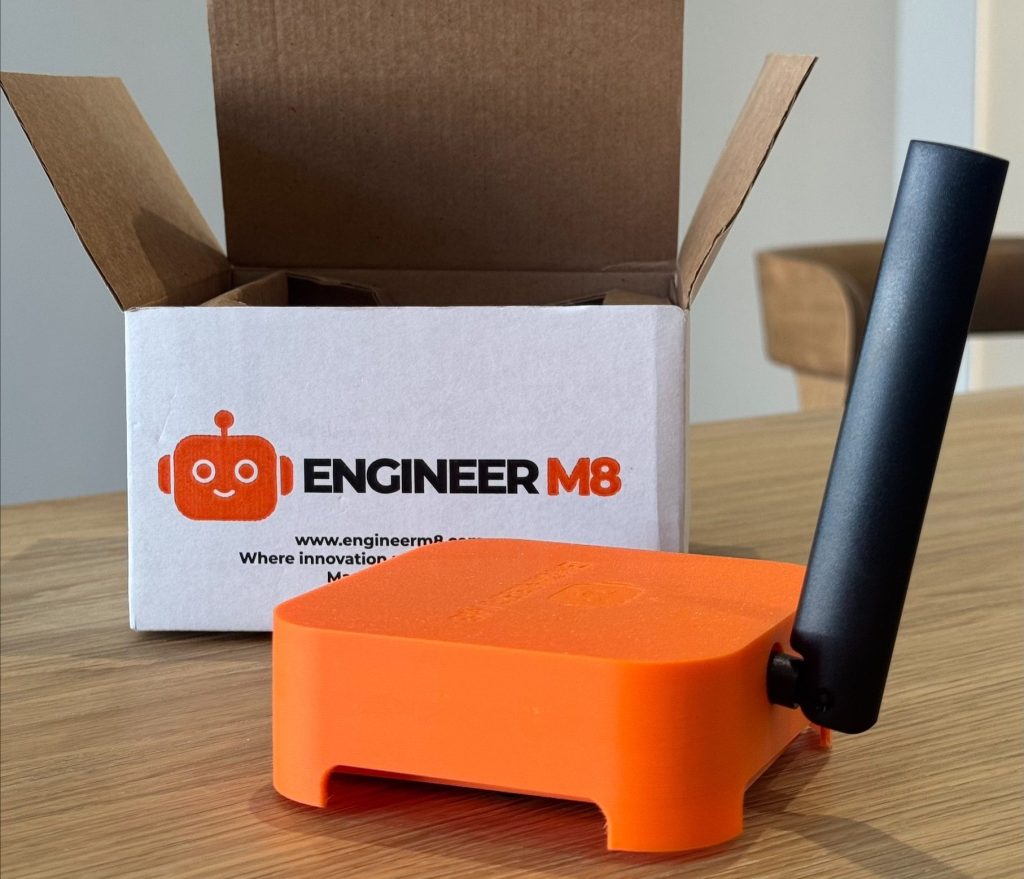
Meet Surveillance Guardian by EngineerM8 – the ultimate tool for engineers who demand seamless, a proactive Remote CCTV Hub that ensures your security systems are always functioning when you need them most without relying on the client’s internet, port forwarding, or complicated setups. Just plug it into an Ethernet port, and you’re ready to manage devices as if you were right on-site.
Completely independent from the client’s network, this device saves hours of travel time by enabling remote configuration for systems that were previously inaccessible, but also helps diagnose faults so more one visit fixes. Designed with efficiency in mind, it’s the perfect solution for security professionals who need secure, remote management of surveillance systems.
Not only that but Surveillance Guardian keeps backups of all config files daily for 90 days. So if any changes are made you can roll them back, most importantly you will have a record of when things get changed.
Why Choose Surveillance Guardian?
No IT Setup Required: The device has its own SIM card, meaning no network configurations or port forwarding are necessary.
Ensures Compliance: Helps you meet licensing and legal requirements by keeping your CCTV operational at all times.
GDPR Compliant: No video footage or images ever leave your site. Our intelligent on-site device only sends diagnostic data to a secure online portal.
Daily Email Updates
Every morning, you’ll receive a summary report detailing:
* Offline cameras or those that went offline in the past 24 hours
* Hard drive faults and potential failures
* Any other relevant system issues
This ensures you always stay informed about the health of your CCTV systems.
Benefits for CCTV & Security Companies
Be the First to Know About Faults: Detect and resolve issues before your clients even notice a problem.
Assist Clients Remotely: Reduce the need for unnecessary site visits by troubleshooting and fixing issues remotely.
Generate More Revenue: Stay ahead of maintenance needs by identifying failing components early, allowing for proactive replacements rather than waiting until the next scheduled visit.
Here’s what’s new in V2:
🔹 Remote GUI Access via Portal – Log directly into your NVR/DVR interface from anywhere.
🔹 Smart Fault Detection – Instantly know if a camera goes down, HDD fails, video freezes, or recording stops.
🔹 Camera Health Dashboard – Live channel status, last snapshots, and “frozen frame” detection.
🔹 Recording Verification & Anti-Tamper Logs – Prove your systems are recording when they should.
🔹 Cybersecurity Watchdog – Flags outdated firmware, weak passwords, and exposed ports – with remote patching.
🔹 Time Machine Playback – Rewind and visually see what the cameras saw before, during, and after a fault – with instant PDF reports.
🔹 AI Smart Fault Prediction – Early warnings for cameras or recorders likely to fail.
🔹 Compliance Log Generator – Auto-create SSAIB/NSI-ready monthly reports.
🔹 Camera View Integrity Check – Detect nudges, vandalism, glare, or spiderwebs before they become blind spots.
🔹 One-Click Remote Support Access – Secure, time-limited NVR login for tech teams.
System Time & Date Sync
We ensure your DVR/NVR time and date are always correct, preventing issues when searching for recorded footage.
HDD Fault Detection
Monitors hard drives for errors through the DVR/NVR’s and logs any detected faults.
Camera Offline Check
Identifies cameras that are offline and updates the portal accordingly.
Remote Check-In
Collects general system information, including the current IP address, and verifies active licensing.
Connection Issues
Ensures the DVR/NVR maintains a stable connection to the internet, preventing remote access failures.
Daily Backup of Config
Regularly backs up system configuration settings. Any changes are logged and stored in the portal to track modifications.
Camera Quality Monitoring
Tracks camera image quality and reports any degradation directly to the portal.
Recording Issues
Checks how many days of footage are being stored, ensuring compliance with security policies and regulations.
Log Tracking
Records all changes made to the DVR/NVR, logs camera offline events, and tracks fault reports. This will help track any unauthorised changes be it on site or remotely.
Q1. Does Surveillance Guardian change our role or responsibilities under GDPR?
No.
The organisation operating the CCTV system remains the Data Controller at all times.
Surveillance Guardian acts as a technical service provider / data processor, supporting the Controller by providing monitoring, access controls, audit logging, and evidence-handling workflows.
All legal decisions regarding:
- lawful basis
- retention periods
- disclosure decisions
remain with the Controller.
Q2. Does Engineer M8 access or view CCTV footage?
No, not by default.
Engineer M8 does not routinely view CCTV footage.
Access is:
•Restricted to authorised users defined by the Controller
•Logged and auditable
•Granted only where operationally required (e.g. fault investigation or authorised evidence handling)
Engineer M8 does not access footage for monitoring purposes unless explicitly authorised.
Q3. How does this system reduce the risk of data breaches?
Surveillance Guardian reduces breach risk by removing common high-risk practices, including:
- Local USB exports
- Personal mobile phone recordings
- Shared passwords
- Unrestricted local playback
All access and exports occur through a controlled, centralised portal with:
- Named user authentication
- Role-based permissions
- Immutable audit logs
- Encrypted transmission and storage
Q4. What happens if footage is requested but the hard drive has failed?
Surveillance Guardian significantly reduces this risk by:
- Monitoring hard-drive health continuously
- Checking recording integrity every five minutes
- Providing early warning of drive degradation
While no system can guarantee hardware will never fail, Surveillance Guardian provides demonstrable proactive monitoring, which is a key factor in regulatory defensibility.
Q5. How are Data Subject Access Requests (DSARs) handled?
DSARs are processed through a structured workflow:
- Authorised personnel identify relevant footage in the EM8 portal
- Footage is exported centrally (not locally)
- Third-party individuals are redacted by default
- Secure delivery methods are used
- All actions are logged
This ensures consistency, accountability, and protection of third-party rights.
Q6. How does the system prevent over-disclosure of personal data in DSARs?
Surveillance Guardian includes:
- AI-assisted detection of individuals in footage
- Default blurring of all parties except the data subject
- Manual review capability where required
This supports compliance with data minimisation and protects the rights of other individuals captured on CCTV.
Q7. Where is CCTV data stored and processed?
All Surveillance Guardian infrastructure is hosted in UK-based data centres.
Data is:
- Encrypted in transit and at rest
- Isolated within a private, secured environment
- Subject to access controls and audit logging
No data is transferred outside the UK as part of standard operations.
Q8. Does Surveillance Guardian retain CCTV footage?
No.
Primary CCTV footage remains stored on the organisation’s existing NVR/DVR systems.
Surveillance Guardian:
- Monitors system health
- Facilitates controlled exports when required
- Retains only logs, metadata and audit records necessary for compliance and accountability
Q9. Can the system support police and law enforcement requests?
Yes.
Surveillance Guardian:
- Exports footage in native format
- Preserves metadata and integrity
- Maintains a clear chain of custody
- Supports direct digital delivery (e.g. police DEMS where available)
This reduces handling errors and evidential challenges.
Q10. Does the system replace staff training or organisational policies?
No.
Surveillance Guardian is a technical control, not a policy replacement.
Organisations remain responsible for:
- Staff training
- Defining authorised users
- Establishing lawful procedures
The system supports and enforces these policies but does not replace them.
Q11. What audit evidence does the system provide?
Surveillance Guardian provides:
- Immutable access and activity logs
- Monthly CCTV health and compliance reports per site
- Historical records of alerts, warnings and actions
- DSAR processing logs
These materials support:
- Internal audits
- GDPR compliance reviews
- Incident investigations
Q12. What happens if an unauthorised access attempt occurs?
The system:
- Blocks unauthorised access
- Logs the attempt
- Flags the event for review
This supports early detection and response to security incidents.
Q13. Is Surveillance Guardian compatible with existing CCTV systems?
Yes.
Surveillance Guardian is designed to sit alongside existing NVR/DVR systems, avoiding wholesale replacement and minimising disruption.
Q14. How does this help demonstrate “appropriate technical and organisational measures”?
Surveillance Guardian provides:
- Continuous system monitoring
- Access control enforcement
- Audit logging
- Standardised processes across sites
- Regular reporting
Together, these demonstrate a reasonable, proportionate approach to CCTV governance under UK GDPR.